
You can now filter both your "Transactions" list and "Spend Overview" by specific bank accounts.
If you have multiple accounts connected (a partner's account, a savings account, a separate everyday card) everything used to get lumped together. Now you can focus on just the accounts that matter for what you're looking at.
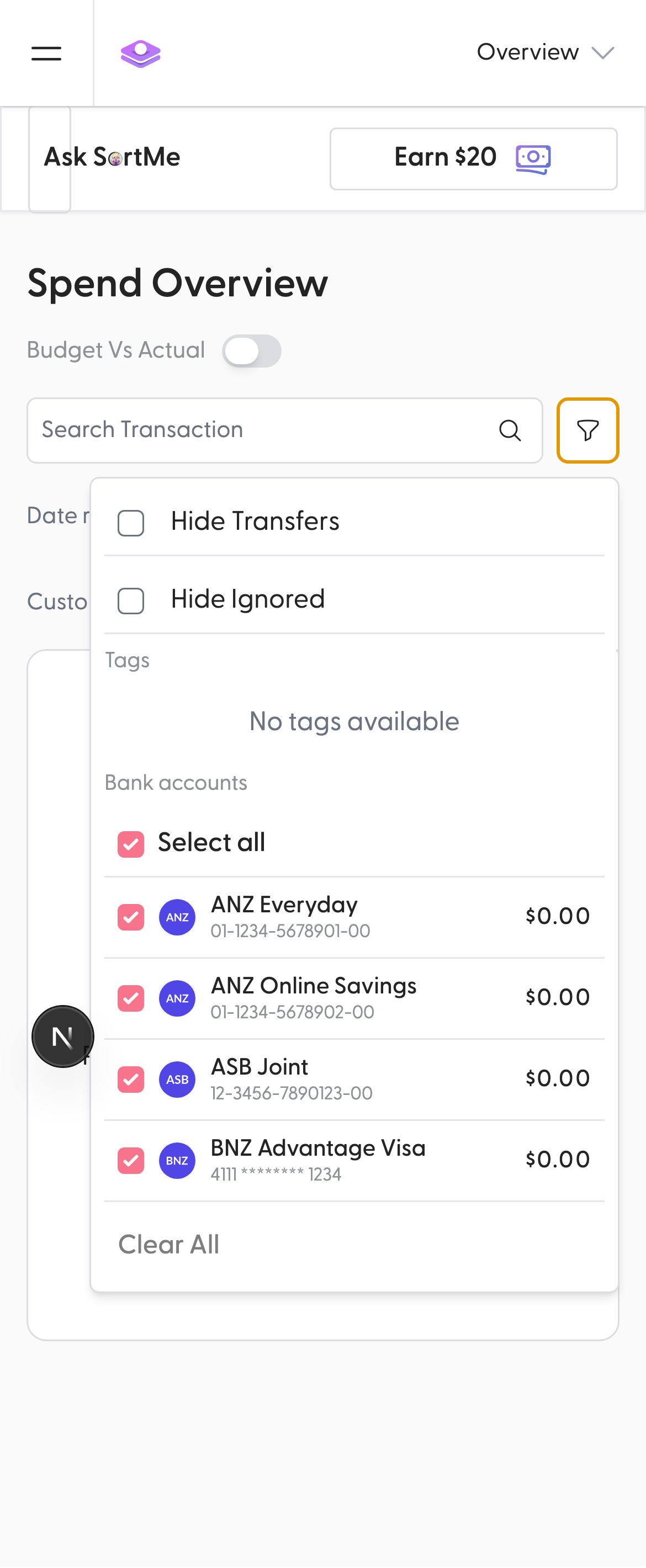
Open the filter menu (the funnel icon) on either the
Transactions
or Spend Overview
page and select the accounts you want to see. You can pick a single account, a few, or none — the chart and transaction list update instantly. Your selection is saved in the URL, so you can bookmark a filtered view and share it.This also works in Budget vs Actual mode on Spend Overview, so your budget report can now be scoped to the accounts you actually budget from.